How to Stream Your Kid's Baseball Games: A 2026 Parent Guide
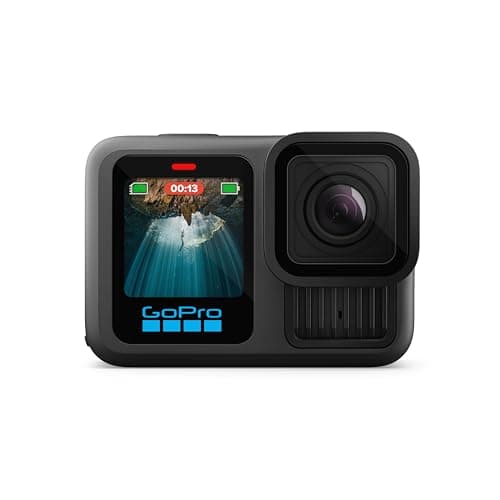
Grandparents in Florida. An aunt in California. The dad who is traveling for work this weekend. There is always someone who cannot make it to the game but wants to watch. In 2026, they do not have to miss it.
Streaming a youth baseball or softball game from the bleachers to family across the country is genuinely easy now. You just need to pick the right platform for your team's situation, because "the right platform" is different for a 10-year-old rec league team than a 14-year-old travel ball squad, and different again for a coach who is also trying to livestream versus a parent who just wants grandma to watch.
This guide compares the four realistic options, walks through the equipment you need, and covers the honest trade-offs nobody tells you upfront.
Disclosure: This article contains affiliate links. If you make a purchase through these links, The Dugout Edge may earn a small commission at no additional cost to you. We only recommend products we believe in and use on our own teams. Thank you for supporting our site!
See also: Best Cameras for GameChanger | Best Phone Mounts for GameChanger | GameChanger GoPro Setup Guide | GameChanger Troubleshooting Guide | Best Baseball Scorekeeping Apps
Your Four Real Options
Every baseball streaming setup falls into one of four buckets. Pick the one that matches your team's situation, you do not need all four, and the best one for you depends on who is watching and how technical you want to get.
| Option | Best For | Live? | Cost | Complexity |
|---|---|---|---|---|
| 1. GameChanger livestream | Most travel ball teams | Yes | $9.99/mo (parents) | Low |
| 2. YouTube Live / Facebook Live | Rec league + public audience | Yes | Free | Medium |
| 3. Smartphone direct to family | Grandparents, small audience | Yes | Free | Very low |
| 4. GoPro record + post-game upload | Highlight reels, archival | No | One-time hardware | Low |
Most families end up using two of these together: a primary live option (GameChanger or Facebook Live) plus GoPro recording for the archive. Let me break each one down honestly.
Option 1: GameChanger Livestream
GameChanger dominates the youth baseball scorekeeping world, and their livestream feature is the default for a reason: integrated scoring, stats, and video in a single app that most team parents already have on their phone.
How it works
A parent or coach streams from GameChanger on a mounted iPhone, iPad, or Android phone, or from an external camera like a GoPro, at up to 1080p. For baseball and softball, the scorekeeper scores on a second device: GameChanger's stream-and-score-on-one-device mode covers sports like basketball and soccer, not baseball. Parents and family who pay the $9.99/month or $39.99/year premium subscription can watch live; free-tier viewers see the play-by-play text feed.
Pros
- Integrated experience. Stats, scorekeeping, and video all in one place.
- Auto-syncs to shareable highlights. GameChanger's post-game highlight clips work surprisingly well.
- Most parents already have the app. Adoption friction is low.
- Streams from iPhone, iPad, or Android. Up to 1080p on phones that can handle it, and GoPros stream to it directly through GoPro Quik.
Cons
- Parents pay to watch full video. The $9.99/month wall frustrates some families, especially if everyone already has Netflix and Disney+ and YouTube TV fatigue.
- Two devices for baseball. One streams, one scores. Two devices can be signed into the same GameChanger account at once.
- Heat and battery failures. A phone in direct sun streaming for 2 hours frequently thermal-throttles or dies. A power bank is mandatory.
- Not public. Only people subscribed to your team's GameChanger feed can watch. Extended family who do not want to create an account are locked out.
Who should use it
Travel ball, competitive rec league, and any team where parents are already paying for premium sports tools. The $9.99/month is a manageable cost for a family that is already spending hundreds on gear and tournaments. For casual rec league, see Options 2-3.
For hardware: any iPhone on iOS 17 or newer or Android phone on Android 11 or newer works. See our best cameras for GameChanger for specific device picks and the best phone mounts guide for mounting options.
Option 2: YouTube Live or Facebook Live
YouTube Live and Facebook Live are the "free public streaming" option. Instead of broadcasting through GameChanger's paywalled app, you broadcast to a public (or unlisted) YouTube or Facebook stream that anyone can watch without signing up for anything.
How it works
Easy version: Open the YouTube mobile app or Facebook app on your phone, tap Live, and start streaming. The video goes to your channel (or your personal Facebook timeline, if set to Friends or Public).
Better version: Set up a laptop at the field running OBS (Open Broadcaster Software, free), connect a cheap USB webcam or HDMI capture card from your camcorder, and stream to YouTube Live or Facebook Live with better quality, overlays (scoreboards, team logos), and more stable output.
Pros
- Free forever. No subscription for anyone, ever.
- Public access. Grandma in Florida can click a link and watch, no account needed.
- Unlimited viewers. YouTube and Facebook handle millions of simultaneous viewers; no streaming caps.
- Recordable. The stream automatically saves to your YouTube channel or Facebook page as a permanent video.
- Works on any phone. iPhone or Android, no team app required.
Cons
- No integrated scorekeeping. You are streaming video, but stats are a separate problem (run GameChanger, iScore, or Ballplayer in parallel).
- YouTube Live requires 50+ subscribers on your channel to stream from mobile (though you can stream from desktop/OBS with any number of subscribers).
- Facebook "Live" privacy settings are confusing. If the broadcaster's account is set to "Friends Only," only friends can watch. Set to Public explicitly for extended family.
- More moving parts. OBS setup at the field is a whole thing. Plan for 30+ minutes of setup the first time.
Who should use it
Rec league teams where nobody wants to pay a subscription, coaches who want a permanent archive of every game on YouTube, and teams whose extended family includes grandparents who will not touch a subscription app.
The hardware for a YouTube/Facebook Live rig
- Any phone or laptop for the broadcaster app.
- Phone mount or tripod. The MyFenceMount phone fence clamp or Manfrotto Compact Action tripod work for phone-based streaming.
- Power bank (critical):
- Optional HDMI capture card (~$30-$60 on Amazon) if you want to run from a real camcorder via OBS to YouTube Live.
Option 3: Smartphone Direct to Family (FaceTime / Zoom / WhatsApp)
The cheapest, simplest option that nobody talks about: just FaceTime, Zoom, or WhatsApp-video your kid's game to family. This is the right answer for a surprising number of situations.
How it works
Set up your phone on a mount behind the backstop (or have a parent hold it in the bleachers). Open FaceTime or Zoom, start a call with grandma, hand her the "camera side" of the call. She watches the game through your phone's camera in real time. Done.
Pros
- Free. FaceTime, Zoom free tier, and WhatsApp are all free for the caller and receiver.
- Zero setup. Start the call, point the phone, done.
- Two-way audio. Grandma can actually cheer in real time and her kid/grandkid can hear her from the dugout.
- No accounts, no subscriptions, no overlays. Just a video call.
Cons
- Battery dies fast. Video calls are even more battery-intensive than livestreaming. Power bank required.
- One audience at a time (mostly). FaceTime and Zoom free tier have small participant limits. For one grandparent or one family, fine. For 10 relatives, switch to Option 2.
- No recording (by default). The stream is not saved anywhere. If you want an archive, run GoPro in parallel.
- Signal dependent. Rural fields with no cell service kill this option dead.
Who should use it
Parents with one or two family members who want to watch, grandparents who will never use an app, or any situation where "I want Aunt Carol to see Jimmy's first home run" is the entire goal.
Hardware needs: just a phone, a phone mount, and a power bank. That is it.
Option 4: GoPro Record + Post-Game Upload
The "skip the live stream entirely" option that is growing in popularity. A GoPro records the full game to an SD card; after the game, you upload the raw footage or a trimmed highlight to YouTube, a shared Google Drive folder, or your team's private Facebook group.
How it works
Mount a GoPro on the backstop fence before the game. Press Record. Walk away. After the game, pull the SD card, transfer the file, and share the link with the family.
Pros
- Rock solid. GoPros do not overheat, do not die mid-game, and record without any app running. Set and forget.
- 4K archival quality. The video you save is actually good: watchable years from now.
- Works for every family situation. Post to YouTube for public viewing, or Google Drive for private viewing, or send a direct file download.
- Perfect for highlight reels. Much easier to clip great plays from raw 4K footage than from a compressed livestream.
Cons
- Not live. If grandma wants to watch the at-bat in real time, this is not it.
- Requires post-game work. Transferring, possibly trimming, uploading takes 15-30 minutes per game. Some parents enjoy this; some hate it.
- Upfront hardware cost. A GoPro + mount + SD card is about $500-$600 before you shoot a single game.
Who should use it
Families who want the archive more than the live stream, coaches building highlight reels for recruiting (14U and up), or as a backup when GameChanger or YouTube Live fails.
Full setup in our GoPro setup guide.
The Checklist: What You Actually Need at the Field
Whichever option you pick, the physical setup is mostly the same. Here is the punch list.
Camera / broadcasting device
Pick one based on your rig type:
- Any iPhone on iOS 17 or newer (works with all 4 options)
- iPad (10th gen or newer) (the comfortable scoring device; for baseball, stream from a second device)
- GoPro Hero 12/13 Black (streams live to GameChanger, YouTube, or Facebook through GoPro Quik, or records for post-game upload)
- Any Android phone on Android 11 or newer (GameChanger, YouTube Live, Facebook Live, Zoom, or WhatsApp)
See Best Cameras for GameChanger for specific device picks.
Mount
- Fence clamp for chain-link backstops (MyFenceMount, iOttie for iPads)
- Tall tripod (Manfrotto Compact Action 61-inch or Neewer 70-inch)
- A jaws flex clamp if you are going GoPro
See Best Phone Mounts for GameChanger for the full rundown.
Power
Non-negotiable: a 10,000+ mAh USB-C power bank. Anker or Mophie; do not buy no-name brands.
Storage (for record-only setups)
- SanDisk Extreme 128GB microSD for GoPro: V30 speed class, fits 2-3 hours of 4K recording.
Shop SanDisk Extreme on Amazon
Weather protection
- Clear plastic rain cover ($10-$15 on Amazon). Most parents skip this until they lose a game to a surprise shower. Buy it now.
Internet
- Your phone's LTE hotspot is almost always more reliable than ballpark guest Wi-Fi. Enable tethering on the phone doing the streaming; connect the broadcasting device (or Mac/laptop if using OBS) to it.
The Honest Recommendation
If you have read this far, here is what I tell people who ask me directly:
For most travel ball families: Use GameChanger livestream as your primary, pay the $9.99/month for family who wants to watch, and add a GoPro record-only for the archive and for highlight reels. Two systems, both proven, 80% of the travel ball community runs this exact setup.
For most rec league teams: Use Facebook Live or YouTube Live for the "anyone can watch without paying" audience. Keep a phone in-hand for scoring (any scorekeeping app, not necessarily GameChanger). Skip the GoPro unless you specifically want the archive.
For families whose main audience is one or two grandparents: Just FaceTime them. Forget the complicated rigs. Prop the phone on a mount, start the call, game on.
For coaches who are the designated scorer: The scorekeeper should not also be the primary broadcaster. It is too much. Hand the broadcasting job to a designated parent, and focus on scoring. This is the single biggest quality-of-life upgrade for coach-parents in the entire streaming conversation.
Frequently Asked Questions
How do I stream a baseball game for free?
The cheapest way to stream a youth baseball game is Facebook Live or YouTube Live from a smartphone. Both are free, both allow public or private viewing, and both work on iOS and Android. You need a phone mount, a power bank, and a Facebook or YouTube account. Setup is 5 minutes once you have the app; total ongoing cost is $0.
Is GameChanger livestream free?
GameChanger's live broadcasting is free for coaches and scorekeepers, you do not pay to send the stream. However, parents and family who want to watch the video feed need a premium subscription ($9.99/month or $39.99/year). Free viewers can see the text-based play-by-play only, not the video. If this pay-to-watch model is a dealbreaker for your team, use Facebook Live or YouTube Live instead.
Can I stream baseball from Android?
Yes, GameChanger included. GameChanger streams from Android 11 or newer, at up to 1080p on phones that can handle it, and an Android phone can start a GoPro stream through GoPro Quik. Android phones can also stream to Facebook Live, YouTube Live, Zoom, or WhatsApp video. The one option on this list an Android phone cannot start is FaceTime.
What is the best way to stream little league games?
For most little league (rec level) teams, Facebook Live or YouTube Live from a mounted phone is the best balance of cost, simplicity, and audience reach. It is free for everyone, does not require extended family to install an app, and automatically archives the game as a permanent video. The setup cost is $50-$80 for a mount and power bank.
How do I record a baseball game to watch later?
To record without streaming, use a GoPro Hero 12 or 13 mounted on the backstop with an SD card. Press Record before the game, let it run, and transfer the file afterward. Alternative: any phone with a camera app, a mount, and enough storage. Record in 1080p (not 4K) if storage is tight; 1080p is still plenty for watching on a TV later.
Can GameChanger stream to YouTube?
GameChanger does not have a native YouTube output. The livestream is locked to GameChanger's own platform. If you want the video on YouTube, you have two options: (1) record with a GoPro, upload the MP4 to YouTube after the game; (2) use a screen-capture or HDMI capture setup with OBS to re-broadcast the GameChanger stream to YouTube Live, this is complex and generally not worth the effort.
What internet do I need to stream a baseball game?
At least 3 Mbps upload speed for 720p streaming and 5-8 Mbps upload for 1080p. Most ballpark Wi-Fi does not hit this because it is congested. Your phone's LTE (or 5G) hotspot almost always outperforms ballpark Wi-Fi, enable hotspot on the streaming phone and connect the broadcasting device to it. If you are in a rural area with spotty signal, lower the stream resolution to 480p or 720p, which handles weak connections better.
Can multiple people watch a baseball livestream at once?
Yes, on every platform. YouTube Live and Facebook Live handle millions of simultaneous viewers at no extra cost. GameChanger livestream allows unlimited team-followers to watch (each needs their own premium subscription). FaceTime and Zoom free tier have small participant caps (around 100 for Zoom, 32 for FaceTime) but more than enough for any single family's viewing audience.
Ready to Set Up?
Pick the option that matches your team's situation, grab the hardware, and run a test at home before your first game. Here is the quick decision:
- Most travel ball families: Start with Best Cameras for GameChanger → pick an iPhone or iPad → pair with a fence mount or tripod.
- Most rec league teams: Facebook Live from a phone on a mount, done.
- Hot-weather or long-tournament families: Go GoPro route, period.
If anything goes sideways at the field, the GameChanger troubleshooting guide covers the 12 most common mid-game problems and how to fix them in under 60 seconds.
Whichever option you pick, test it once at home before your first game. Every single streaming failure I have seen was a rig that "worked in the living room" and failed at the field. Run a 30-minute dry run in the backyard, confirm the stream lands where you expect, and make sure your power bank, mount, and camera all play nicely together before game day.
Tags
Score Your Next Game Free
Game Day scores live from your phone: runs, outs, baserunners, pitch counts. Free, in your browser, no account needed to start.
Try the Free Scoring App