New: Arm Care
Every pitch you count in Game Day and every bullpen you chart in Practice Day now adds up in one place: who threw when, how much over the last 7 days and the season, and how long since each pitcher last threw.
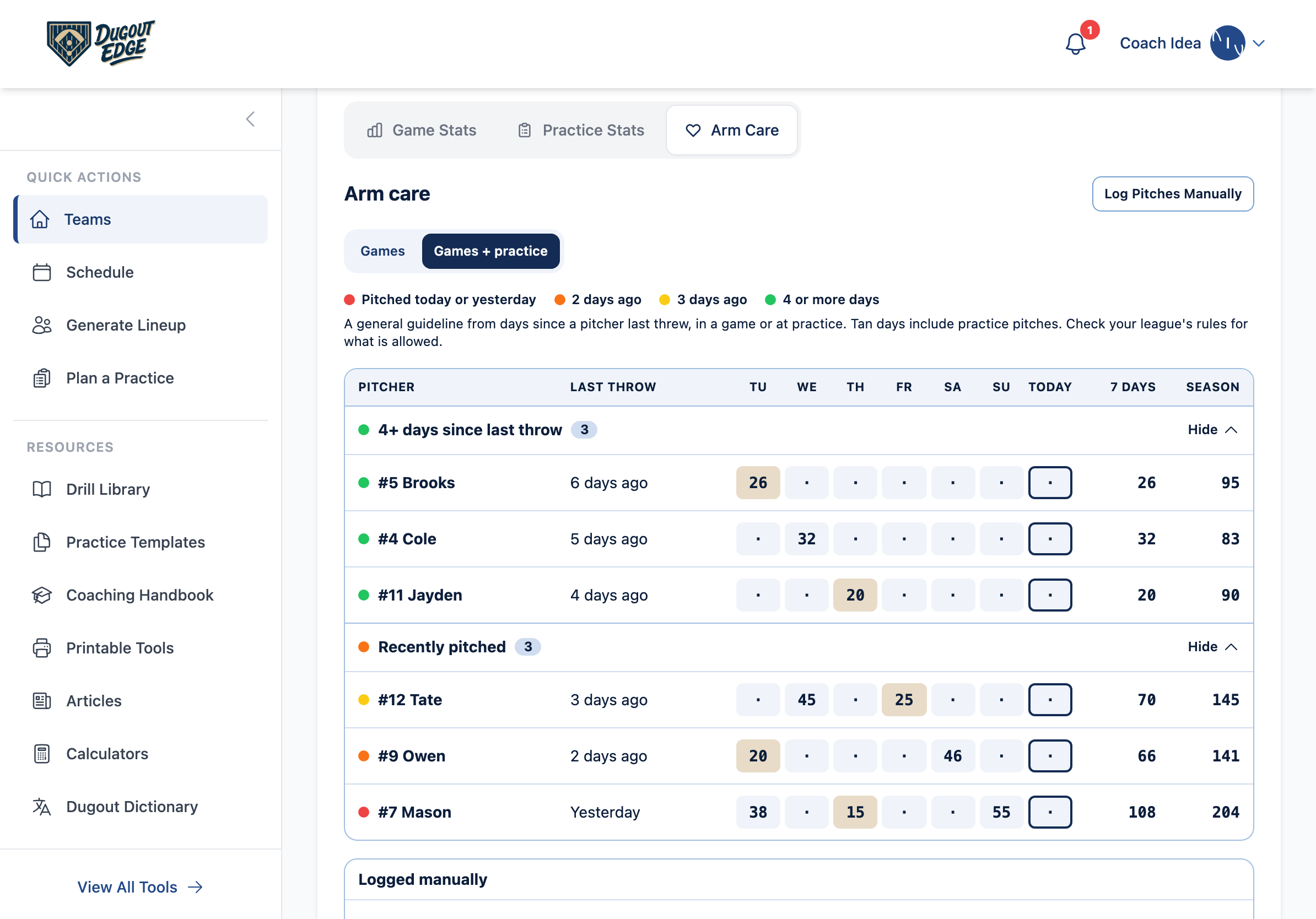
Who threw on Tuesday, and was it 40 pitches or 60? Arm Care answers that on one screen.
Open Teams, pick your team, tap Stats, then Arm Care. Every pitcher is listed with a color dot for how many days ago they last threw, their pitches for each of the last seven days, and their 7-day and season totals. Tap a pitcher to see their recent outings, each one tagged Game, Practice, or Elsewhere.
There is nothing new to fill in. Pitches you count in the Game Day tool land there on their own, and so do bullpens you chart in Practice Day. Switch between Games, which is what league pitch counts are about, and Games + practice, which adds bullpens and lessons so you can see everything a kid has thrown.
Pitches from somewhere else, like a travel ball game or a lesson, go in with Log Pitches Manually. That is also how to add games scored in GameChanger for now: importing from GameChanger is coming soon.
The color is a general guide from days since the last throw: red for today or yesterday, then orange, yellow, and green at four days or more. It does not know your league's pitch limits or rest days yet, so check your league's rules before you pick a pitcher. Custom league rules are coming soon, so you can set your league's limits and rest days and Arm Care will use them.
Arm Care is part of your membership and is for coaches only; parents never see it.