New: the Wristband Signs Generator
Make your team's pitching and batting signs in a few questions, start from a template, and set defaults that go on every game.
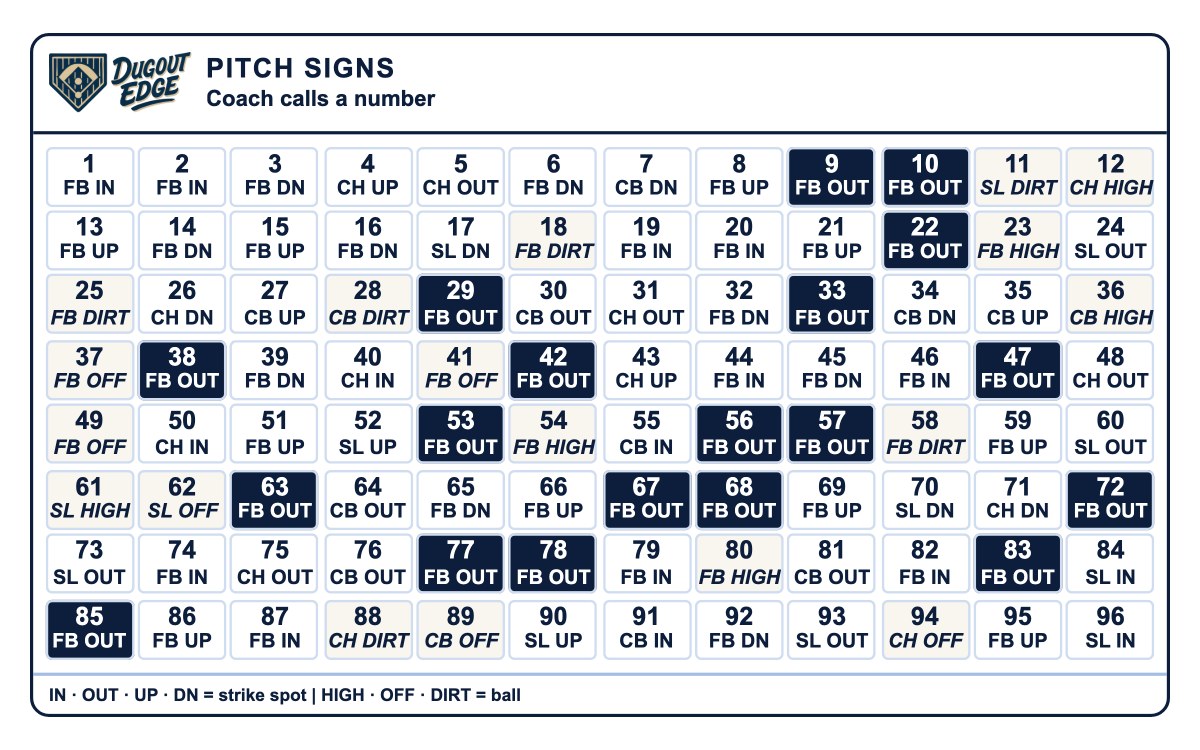
The Wristband Signs Generator builds your team's pitching and batting signs in a few questions. Print one sheet for the coaches and a card for each player, then check that your players learned them.
Wristband cards
Pick your pitches and the strike zone spots you call. The card fills with numbers as you answer, and each game gets new numbers by default. Catchers and pitchers read the number off the wristband, and the coach keeps the matching sheet.
Coach's signs
Choose the plays you give, then how players find the live sign: a touch number, or an indicator followed by the next touch. Every sign gets its own colored card with an icon. Show Coach Dan or Coach Jess giving each touch, or one coach with every touch marked by number. Pitching signs go from you to the catcher or straight to the pitcher.
Start from a template
Open one of 42 finished sets: 30 wristband cards and 12 coach's signs sheets, for baseball and softball. Change anything, then print.
Save signs to your team
Members save signs to a team and pick default pitching and batting signs. Defaults go on every upcoming game, and each game page lists its signs under the lineup with Print and Change. Signs also sit beside the field in Game Day.
Players learn them
Turn on a player link from the print step. Players open it on any phone, study the sheet and take a quiz. You see who passed and which signs each player missed.
Where to find it
Open Sign Systems in the menu. Building and printing are free at dugoutedge.com/baseball-signs; saving, team defaults, every template and the player link come with a membership.